How it works
How Saiela keeps personal data out of AI tools
Your team keeps using the AI tools they rely on. Saiela swaps personal details for placeholders before a prompt is sent, puts them back in the answer, and keeps the records you'll be asked for.
Read the transcript
Let AI in and keep personal data out. Saiela works with the AI tools your team already relies on.
When someone puts a client's name, email or bank details into a prompt, Saiela swaps them for placeholders before it reaches the AI tool.
When the answer comes back, the real details are put back in. You can see how your team uses AI, with a log of what was protected.
And Saiela drafts your UK GDPR paperwork, from the risk assessment to your AI use policy. It's free for one person, with one price for your whole team.
No per-seat charges. Saiela. Let AI in. Keep personal data out.
The people and figures in the film are made up.
Four steps. Then it works in the background.
Nobody has to change how they work. Here's what happens, in order.
- 01Add the extensionAdd Saiela to your team's browsers. It takes a few minutes.
- 02Choose your AI toolsApprove the business plans you pay for, and warn about or block personal accounts.
- 03Your team works as normalPersonal details are swapped out before a prompt is sent, and put back in the answer.
- 04You keep the proofSee how your firm uses AI, with a log and the GDPR paperwork drafted for you.
Step 1
Add the extension to your team's browsers
Add Saiela to Chrome or Edge, sign in, and choose which AI tools your team can use. It takes a few minutes, and nobody has to change how they work.
- Saiela works in Chrome and Microsoft Edge.
- Bring your team in from Microsoft or GoogleTeam plan
- Install it for everyone with Intune, Google Admin or JamfTeam plan
 Saiela on
 ChatGPT
 Microsoft Copilot
 Claude
 Gemini
 Perplexity
Step 2
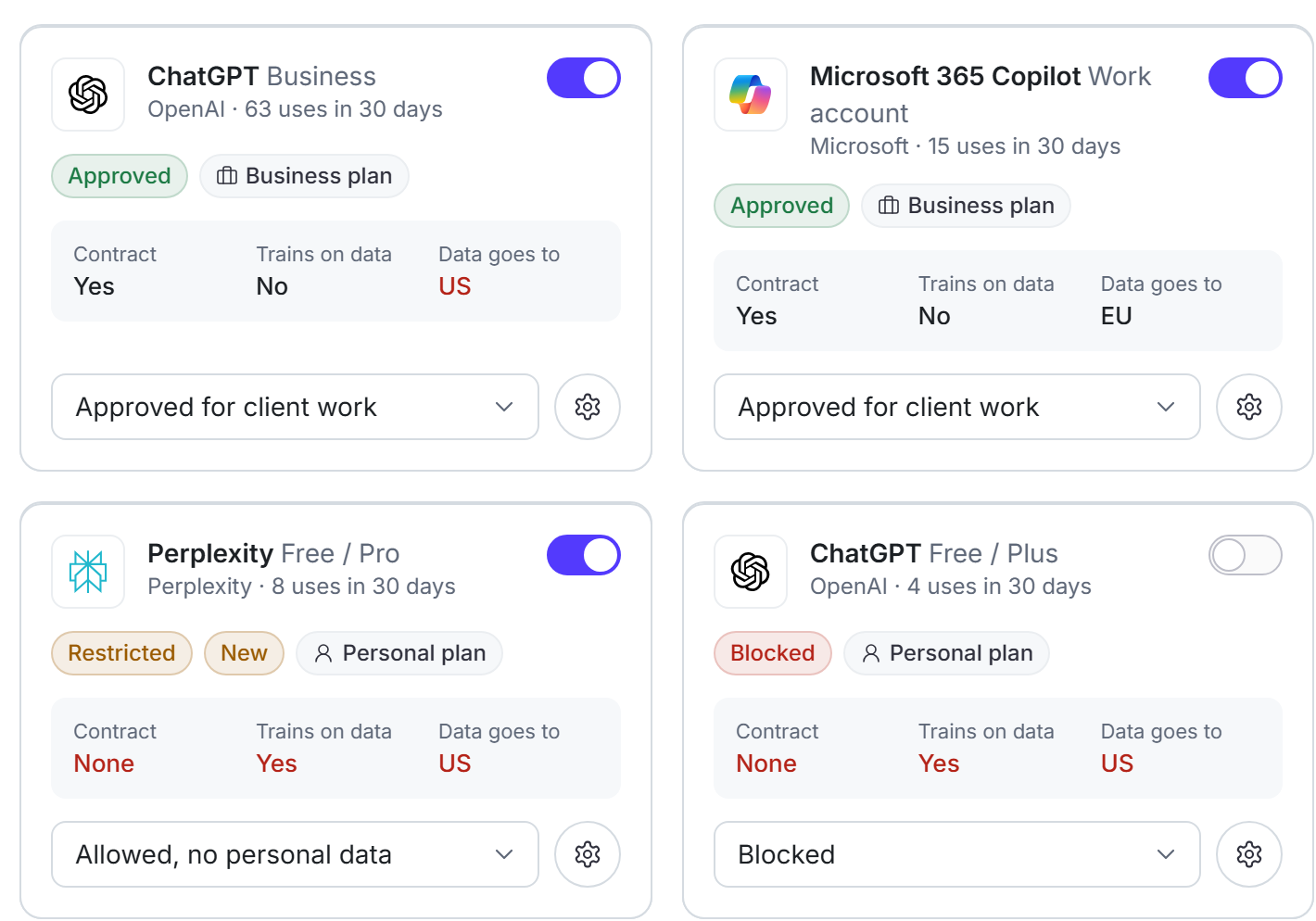
Choose which AI tools your team can use
Free and business plans of the same AI tool can be worlds apart. So Saiela shows each one separately: is there a contract with your firm, does it learn from what you type, and where does your data go? Then you decide.
- Four access levels: approved for client work, allowed with no personal data, under review and blocked.
- If someone starts using a new AI tool, you'll know.
- Set what can go where for each type of data, from names to the most sensitive kinds (special category data).
Step 3
Personal details are swapped out before anything is sent
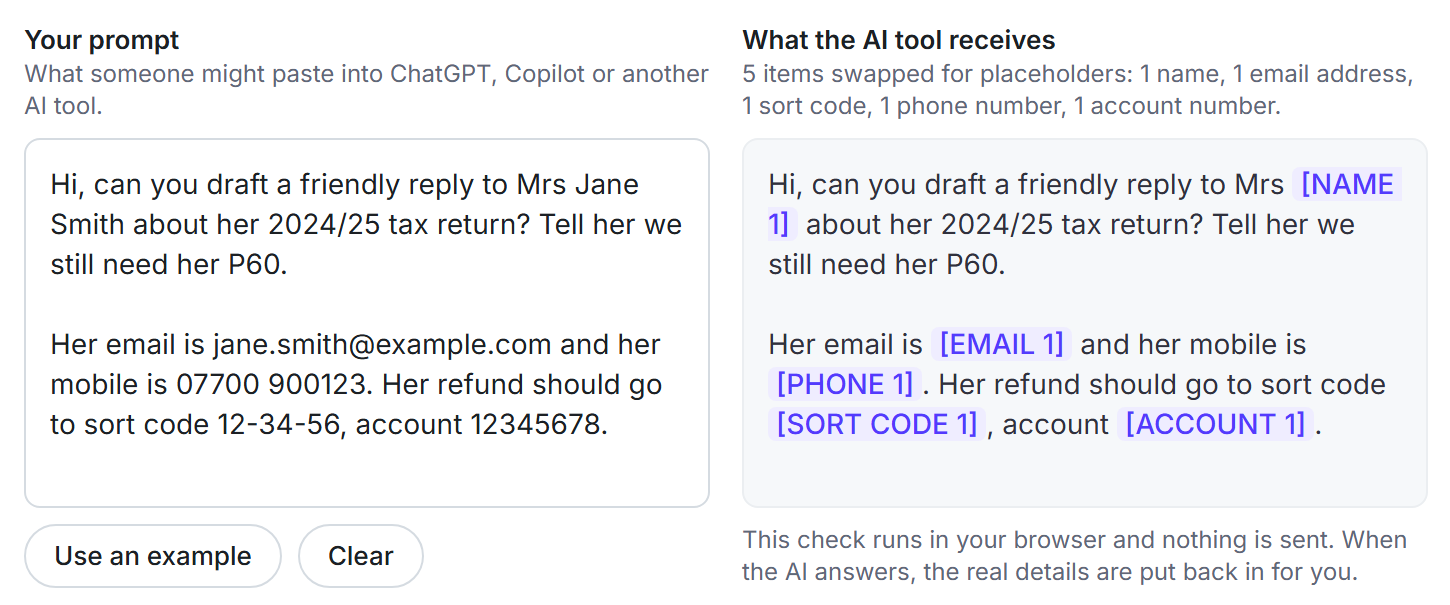
Whatever your team types or pastes into ChatGPT, Microsoft Copilot, Claude, Gemini or Perplexity is checked first. Names, emails, phone numbers, National Insurance numbers and bank details are swapped for placeholders like [PERSON_1]. When the answer comes back, the real details are put back on your screen, so it reads just as you'd expect.
- It all happens on your own computer. We never see what you type.
- Passwords, API keys and private keys are always blocked.
- File cleaning takes personal details out of CSV and Excel files before they're uploadedTeam plan
Step 4
See how your firm uses AI, and keep the proof
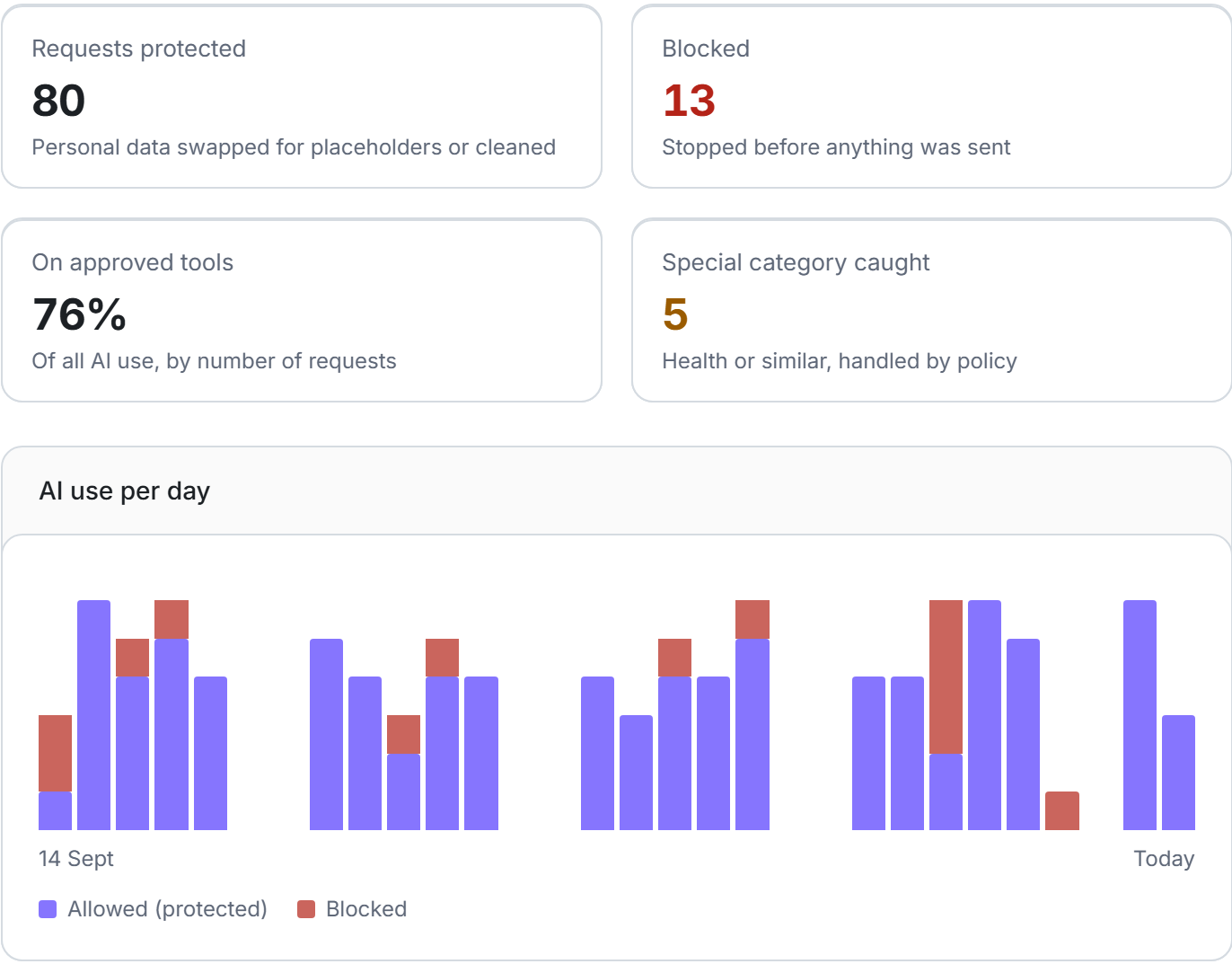
See how much your team uses AI, how often personal data was protected or stopped, and how much of it happens on tools you've approved. Saiela drafts the GDPR paperwork from what it already knows, so you have something to show when a client, insurer or the ICO asks.
- Counts of events, never the content of what anyone typed.
- An AI acceptable use policy on every plan, and on Team a risk assessment (a DPIA) and records of processing, drafted for you.
- Export one evidence pack, a PDF and a spreadsheet, when someone asks how you use AITeam plan
Then it keeps working in the background
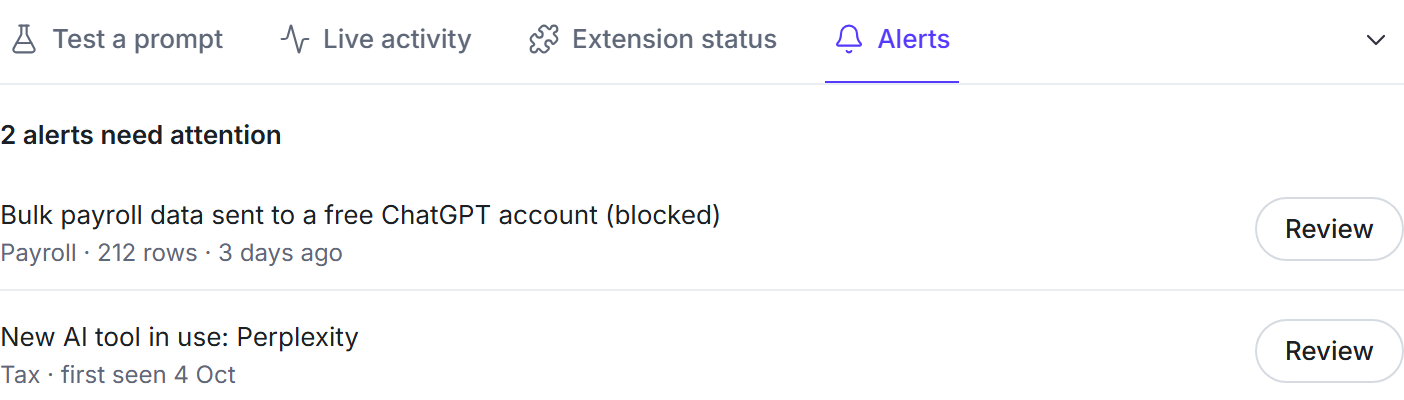
No need to keep checking. Saiela tells you when something needs you.
Alerts when something needs you
A possible breach to look at, a new AI tool turning up in a team, or a document that's due a review.
A record of every AI use, never the content
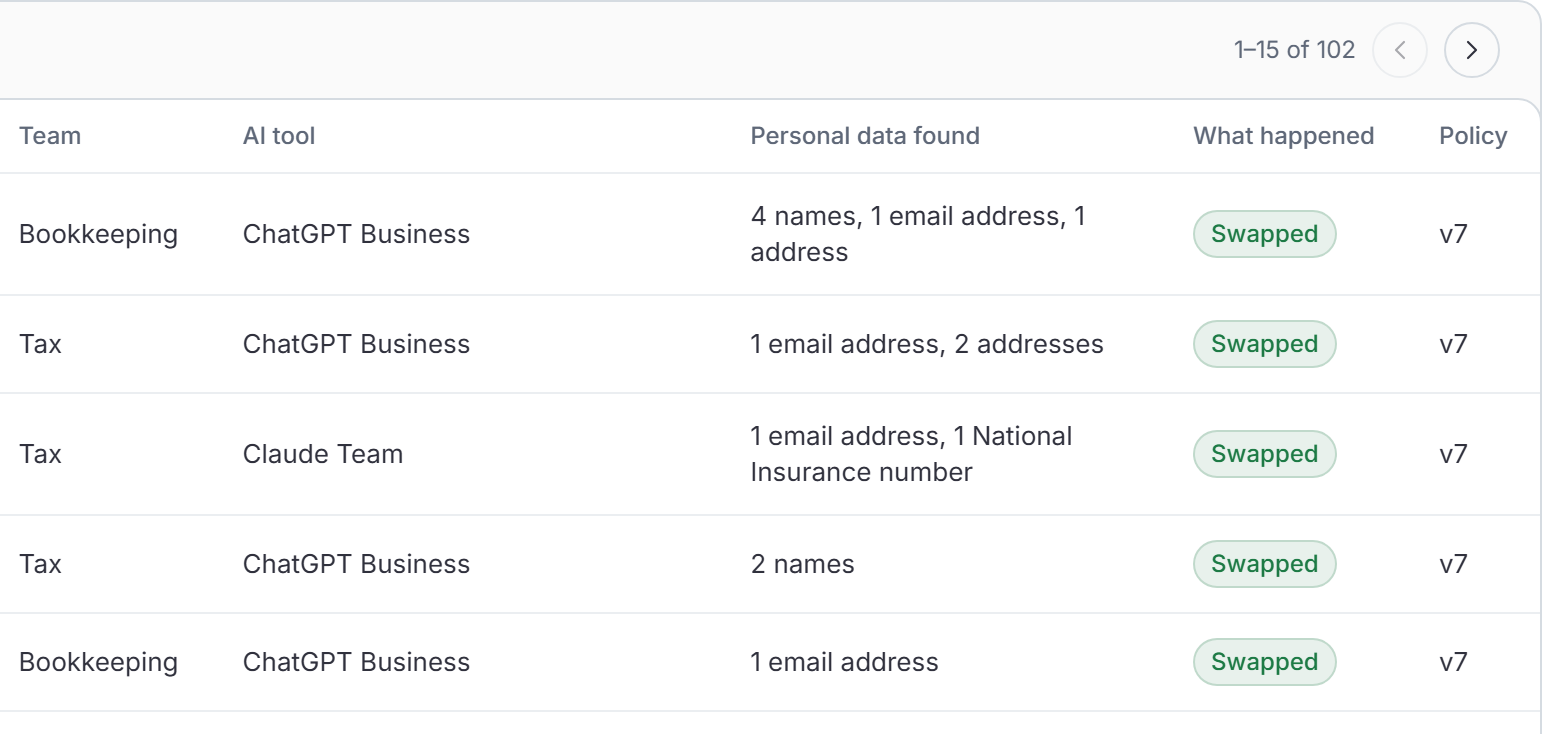
What kind of data was found, which AI tool it was heading for and what Saiela did. People show as IDs, not names.
Paperwork that keeps up
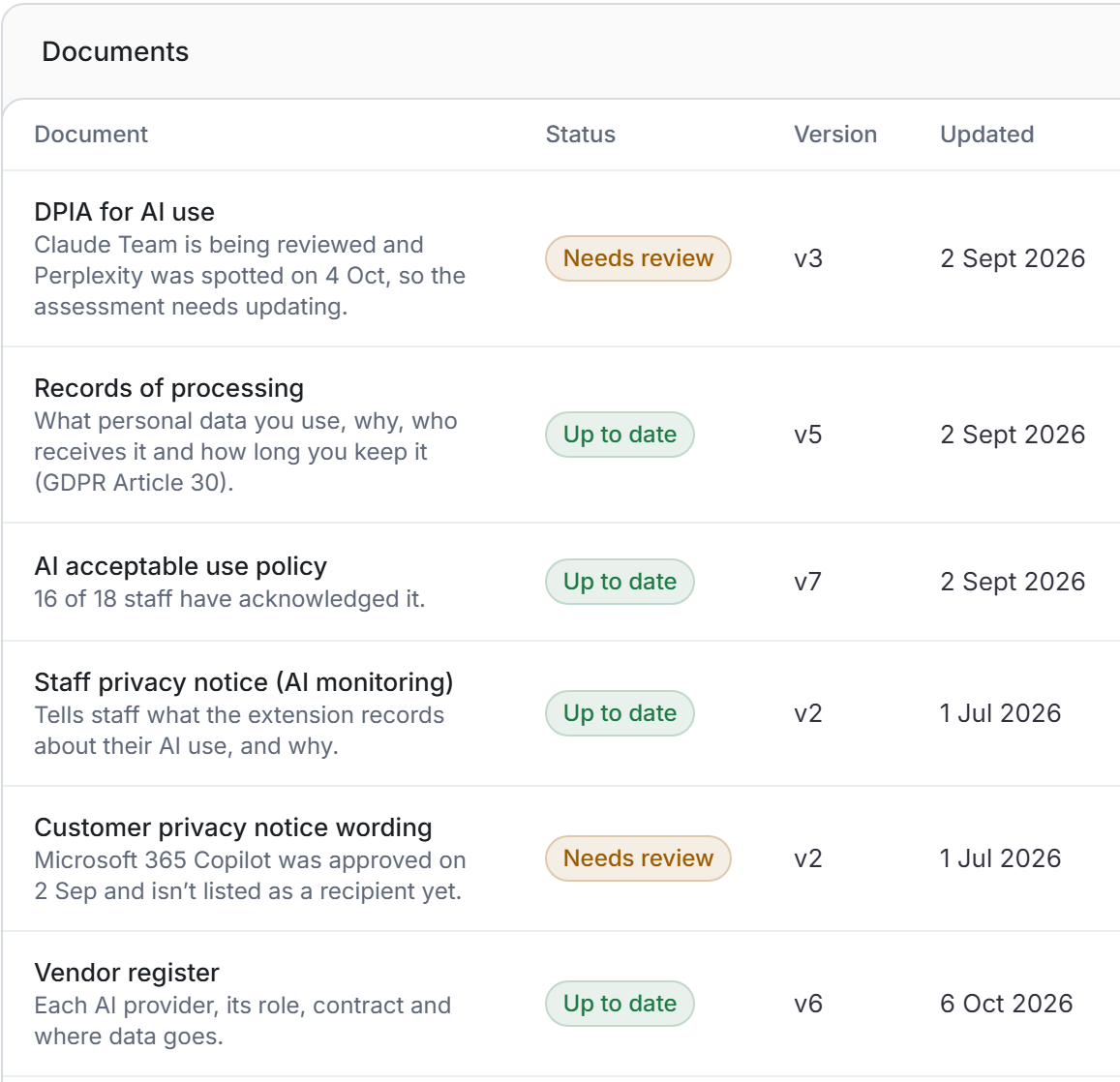
When something changes, such as a new AI tool being approved, the affected document is flagged for review.
Every check runs on the person's own computer. We never see what your team types or the answers they get back.
Want the full list? See every feature, or compare the plans.
See it on your own team
7 days of every Team feature, free. No per-seat maths.